


Fofi - Fun AI Pet Effects
3.973.00 Reviews
App Specs
- Version
- 1.8.0
- Updated On
- License
- Free
- Downloads
- 100,000+
- Developer
- Sparking Innovations Limited
- Categories
- Video Players & Editors
- Platform
- Android
Screenshots

 Analysis by AppCompare
I tried Fofi - Fun AI Pet Effects with one simple goal: turn ordinary pet pictures and short clips into something playful enough to share. That focus matters because this is not trying to be a full video editor or a serious photo-processing studio. It sits in the video players and editors category, but its appeal is much narrower and more cheerful: giving a dog, cat, or other pet a cute visual treatment without asking me to learn a complicated timeline.
My first impression was that the app understands the kind of moment people want to create. A pet already has personality; the effect only needs to add a costume, movement, or humorous presentation without burying the animal under editing controls. The result can be charming when the original image is clear and the effect matches the pet’s expression. When the source is blurry, dark, or badly framed, the novelty wears off quickly.
Fofi is made by Sparking Innovations Limited and is free to install, with optional in-app purchases ranging from $0.99 to $6.99 per item. It is suitable for Everyone, and the current version is 1.8.0. I also found its audience size reassuring rather than overwhelming: it has passed 100K installs, with a 3.9 average from around 850 ratings. That suggests a useful but not universally loved tool, which matches my experience: it is easy to enjoy for occasional pet content, but it will not replace a broader editor.
What the pet effects actually add
I find the best effects are the ones that keep the pet’s face and expression easy to recognize. This section looks at how a costume or dance treatment can add a quick visual joke, and why choosing a clear, well-framed source image often matters more than trying a string of effects. From there, I’ll turn to the everyday situations where that fast, playful approach makes the most sense.
A focused way to make familiar photos feel new
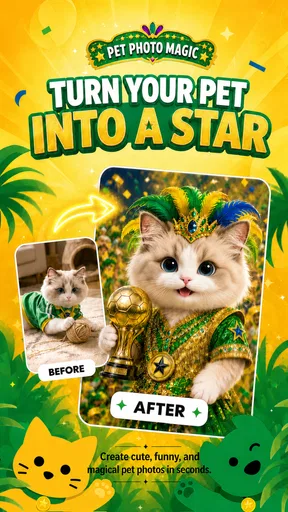
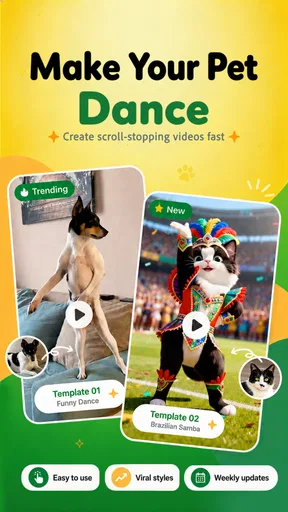
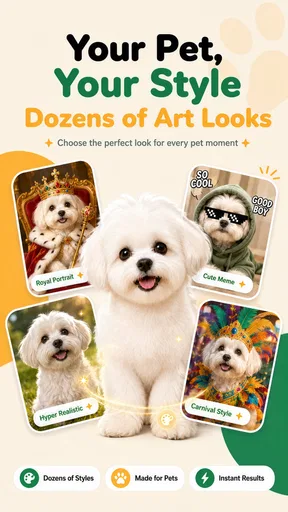
The central capability is the transformation of a normal pet photo or video into a cute themed creation. Instead of starting with a blank canvas, I start with something I already have and let the app supply the visual joke. Costumes and dance-style treatments are the kind of effects that can change the mood of a clip immediately. A quiet snapshot becomes a small greeting, reaction, or comic post.
The important distinction is that the effect is doing most of the creative work. In a conventional editor, I might crop the picture, search for stickers, place them carefully, adjust timing, and export the result. Fofi is more appealing when I want a quick experiment rather than a carefully designed composition. I can test an idea in the time it would take to assemble the same joke manually elsewhere.
That convenience also defines the limit. I would not choose it for precise color correction, layered graphics, subtitles, detailed sound editing, or a polished promotional video. Its strength is the instant visual change, not control over every frame. If you prefer making every creative decision yourself, the app may feel restrictive; if you usually abandon edits because they take too long, that restriction can feel refreshing.
Worth Reading Before You Choose

EA SPORTS FC Mobile 26 Is a Bigger Football Game, but It Takes Time

Flipboard Shows What News Apps Must Do Beyond the Feed

Switching to Android Auto Means Rethinking Your Driving Routine

Google Calendar Makes a Crowded Week Easier to Manage

Ludo King Makes the Most of the Minutes Between Plans

Baby Panda World Brings Quick Play to Modern Phones, but Its Game Library Feels Busy
Why the original pet image matters so much
In my testing, the input image had more influence on the final impression than I expected. A front-facing pet with visible eyes and a reasonably clean background gives the effect room to read clearly. A side view, a crowded room, or a pet partly hidden behind furniture makes the result less convincing and less funny. This is not a failure unique to Fofi; playful automated effects simply have less visual information to work with when the source is weak.
For better results, I would choose a recent photo with the animal occupying a generous part of the frame. I would also avoid sending several nearly identical pictures into the process. Pick the one with the clearest face and the most recognizable pose. That small selection step saves time and makes the final effect look intentional instead of random.
There is a useful creative trade-off here. A perfectly posed pet can produce the clearest result, but an imperfect expression may be funnier. A sleepy cat, a dog looking away, or a rabbit caught mid-turn can create a more memorable clip if the effect handles the pose well. I recommend trying one technically clean image and one expressive image rather than assuming the most beautiful photo will be the best source.
Using it in a normal day
For a family chat or a small milestone post, I’d choose one strong photo, preview a couple of treatments, and keep the version that still feels like the pet. That simple workflow helps avoid turning a sweet moment into an effects catalogue. The next section considers the trade-offs that show up when a quick result is not quite the result you had in mind.
The quick family-share workflow
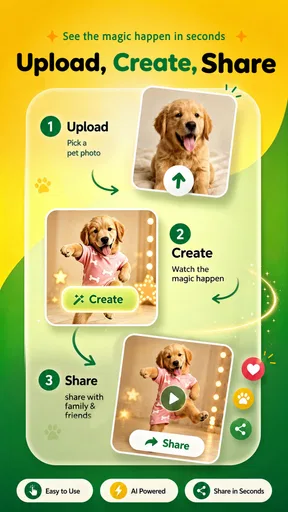
A realistic use case is a family group chat. My dog is asleep beside the desk, and I want to send something more entertaining than another ordinary picture. I select a clear image, try a costume or dance treatment, preview the result, and decide whether the effect preserves the pet’s character. If it works, the finished piece becomes a quick message for relatives who already know the animal. The value is not professional production; it is turning a familiar moment into a small shared laugh.
This workflow is especially useful for people who do not want to open a desktop editor. The app’s concept is approachable enough for a casual user who knows how to choose a photo and evaluate a preview. It also suits a child or older family member better than an editor full of tracks and adjustment panels, although an adult should still guide any sharing decisions involving personal images or public accounts.
Another practical scenario is preparing a light social post around a pet’s birthday, adoption anniversary, or an everyday milestone. I would create several variations from the strongest source photo, then keep only the one that feels natural. The key is restraint. One amusing effect can make a post distinctive; a long sequence of unrelated effects can make it feel like a test gallery.
How I would judge a result before sharing
I look at three things before exporting or sending anything. First, does the pet remain recognizable? If the costume or movement overwhelms the face, the joke loses its emotional connection. Second, does the effect fit the expression? A serious-looking cat may be funnier in a dramatic costume than in a cheerful dance treatment. Third, does the composition still work when viewed small on a phone? Fine details that look acceptable in the preview may disappear in a chat thumbnail.
This checking habit is one of the more useful ways to get value from the app. The fastest option is not always the best one. I would rather spend another minute comparing two source images than repeatedly applying effects to a poor photo. I would also keep the original file untouched so I can reuse it in a different editor later.
For short clips, I would pay attention to the opening and closing moments. A playful effect needs a clear beginning, and an awkward first frame can make the whole result feel unfinished. If the source video starts while the pet is moving out of view, trimming or choosing another clip in a separate editor may be worthwhile before using Fofi. This is where a dedicated editor can complement the app instead of competing with it.
When the simple approach is better than manual editing
Traditional editors offer more flexibility, but flexibility often becomes a chore for a tiny project. To make a costume joke manually, I might need transparent overlays, keyframes, timing adjustments, and repeated previews. Fofi makes more sense when the content is disposable, personal, and meant to be enjoyed immediately. I can try an idea without committing to a long session.
That speed is also helpful when the pet is doing something unpredictable. If a cat suddenly sits inside a box or a dog makes an unusual face, the moment may be gone before a careful edit is possible. A focused effects app gives me a chance to respond while the moment still feels fresh. For planned videos with several scenes, however, I would move to a conventional editor after creating the playful segment.
Trade-offs I noticed while using it
The quick transformation is appealing, but it offers less hands-on control than a conventional editor, and an effect cannot make a blurry or poorly framed image clearer. I’d also weigh whether a result suits a private joke or a public post before sharing it. Those limits help explain why Fofi is a better fit for some pet owners than others.
Fun is high, control is deliberately limited
The biggest trade-off is predictability. A manual editor lets me decide exactly where an element appears and how long it stays. A themed pet effect is more immediate, but the result depends on how well the selected source fits the treatment. That makes the app enjoyable as a discovery tool, yet less suitable when I already have a precise visual idea in mind.
I also would not treat every generated result as publication-ready. Some effects are naturally better for private jokes than for a polished public post. The difference is not necessarily quality; it is purpose. A family member may love a silly transformation that would look out of place on a carefully curated account. I recommend deciding where the content will be used before spending time making several versions.
Free entry, optional spending
The free starting point makes it easy to test whether the style suits you. The optional purchases are priced per item between $0.99 and $6.99, so I would avoid buying anything until I had tried the available experience enough to understand how often I would genuinely use it. A person who creates one pet clip every few months may find occasional spending reasonable, while someone expecting a large permanent library should examine the purchase choices carefully inside the app.
My advice is to treat paid effects as a decision about repeat value, not as a way to rescue a weak source image. If the pet is poorly framed, paying for a more elaborate treatment will not automatically make the result better. Choose the image first, test the concept second, and only then consider whether a paid option adds something you cannot get from the free experience.
It is not the right tool for every animal video
Fofi is a poor match for anyone looking for a complete production workflow. If I needed voice-over, detailed captions, multiple music tracks, exact cuts, branded layouts, or careful control over a sequence, I would use a full video editor. Those tools require more effort, but they are better when the message matters more than the novelty.
It may also disappoint users who want realistic enhancement rather than playful alteration. The point is to make a pet look amusing or cute, not to correct lighting, remove distractions, or produce a natural-looking portrait. For those jobs, a photo editor with retouching and exposure controls is the more sensible choice. Fofi works best when the artificial, exaggerated quality is part of the appeal.
Keep privacy and sharing decisions practical
Pet images can still reveal personal information through a home interior, street view, collar tag, or identifying background. Before sharing a creation publicly, I would inspect the frame for those details. If the image includes other people, I would ask before posting it. This is a simple habit, but it matters more when an app makes it easy to turn a private photo into something shareable in seconds.
I would also keep expectations realistic about the difference between making and publishing. Creating a funny result does not mean it needs to go online. The app is just as useful for a private family message or a saved memory as it is for social content. In fact, private sharing is where the quick, playful format feels most natural to me.
Who gets the most from Fofi?
I’d point casual pet owners toward Fofi if they want an easy way to make familiar photos feel new, especially for private sharing or occasional lighthearted posts. If you need exact cuts, detailed captions, realistic retouching, or a consistent style across a series, I’d choose a broader editor instead. The closing section brings those differences together into a practical recommendation.
Best fit: casual pet owners and quick-content creators
I would recommend it to someone who takes lots of pet photos but rarely edits them. It gives those unused images a reason to leave the camera roll without demanding technical knowledge. It is also a good fit for parents, grandparents, and friends who want a simple visual joke rather than a lesson in editing software.
Small creators may find it useful as a source of occasional ideas. A pet-themed account can become repetitive when every post is just another portrait, and a costume or dance treatment can interrupt that pattern. I would use it sparingly, though. If every upload relies on an effect, the pet’s real personality can disappear behind the format.
The app also suits users who enjoy experimenting. Because the concept is lightweight, I can try an unexpected treatment without planning a whole project. The best results may come from pets with strong expressions or distinctive poses, where the effect adds a new layer without replacing the original charm.
Who should skip it?
I would skip it if my main goal were professional editing, realistic retouching, or exact control. I would also skip it if I dislike automated transformations and want to build every visual element manually. The app’s appeal depends on accepting a little unpredictability in exchange for speed and amusement.
It is not ideal for someone who needs a consistent visual identity across many videos. A broader editor will usually offer better control over fonts, colors, transitions, and pacing. Fofi can contribute a fun segment, but I would not make it the foundation of a serious channel workflow.
My recommendation after living with the concept
Fofi succeeds when I use it as a small creative shortcut, not as an all-purpose editor. Its verified focus on cute pet videos and photos is also its clearest advantage: I do not have to search through a crowded toolbox to reach the playful result. The free entry point lowers the risk of trying it, while the optional purchases mean I would still approach the wider effect selection thoughtfully.
My practical recommendation is to begin with one well-lit, expressive pet photo and one short clip. Compare the results at normal phone size, keep the version that preserves the animal’s personality, and share it only where the tone fits. If that process makes you smile and you want more variations, the app has earned a place in your casual toolkit. If you quickly start wishing for layers, precise cuts, or realistic corrections, move to a standard editor instead.
Overall, I see Fofi - Fun AI Pet Effects as a friendly specialist rather than a complete editing solution. It turns the familiar into something briefly surprising, and that is enough for a family message, a playful post, or a small memory worth saving. Its best quality is not technical ambition but immediacy: when the source photo is right and the effect matches the moment, I can create something enjoyable before the idea loses its spark.
Pros
- Easy to apply playful AI pet effects to photos and videos.
- Fun results for sharing on social media and messaging apps.
- Simple interface suitable for casual users and quick edits.
- Offers a creative way to personalize ordinary selfies.
- Works well for entertaining group photos and pet-themed content.
Cons
- Some effects may require in-app purchases or premium access.
- AI processing can take longer with high-resolution photos.
- Results may vary depending on lighting
- pose
- and image quality.
- Frequent use could feel repetitive once the effects are familiar.
- Privacy details should be checked before uploading personal photos.
FAQs for Fofi - Fun AI Pet Effects
What is Fofi - Fun AI Pet Effects?
Fofi - Fun AI Pet Effects is a creative photo and video app that uses artificial intelligence to add playful pet-inspired effects to your images. It is designed for users who want to transform selfies, portraits, and everyday photos with animated or stylized animal features. The app focuses on quick, entertaining edits that can be shared on social networks or saved to your device.
How does Fofi create AI pet effects?
After selecting or taking a photo, you typically choose an available pet effect and allow the app to process the image. The AI analyzes facial features and applies elements such as animal ears, noses, fur details, expressions, or other themed visual changes. Results can vary depending on lighting, image quality, face position, and whether the selected effect is supported for that type of photo.
Is Fofi - Fun AI Pet Effects free to download and use?
Fofi may be available to download at no initial cost, but some effects, tools, exports, or advanced features can require in-app purchases or a subscription. Users should check the current store listing for pricing, trial conditions, and renewal details before confirming payment. It is also worth reviewing whether the free version includes advertisements or limits the number of available creations.
Does Fofi require access to my photos or camera?
Yes, photo-based features generally require permission to access the camera, photo library, or both. Camera access is needed when creating a new image inside the app, while photo-library permission allows you to select existing pictures for editing. Before granting access, review the permission message carefully, and use your device settings to revoke permissions later if you no longer want the app to access this content.
Can I save and share images created with Fofi?
The app is intended for creating fun, shareable pet-themed images, so it commonly provides options to save results to your device or share them through compatible social and messaging applications. Export availability may depend on the selected effect, account status, or subscription plan, and some free exports may include branding or other limitations. Check the preview and export screen before finalizing your creation.


